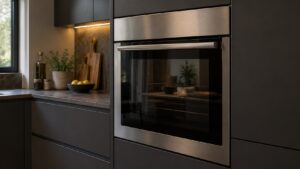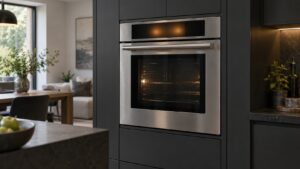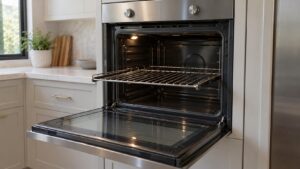
What Self Clean Wont Start means on your Dacor oven (dacor oven self clean wont start)
This is described rather than coded, because Dacor issues no error code for an oven in this state. by itself — a self-clean cycle simply refusing to begin, with no code displayed at all, is common and usually traces back to something short of an electronic problem: the door not being fully closed and latched, a setting entered incorrectly, or the oven cavity still being too hot from a recent bake to allow a new cycle to start. If the lock mechanism does begin to engage and then reports a problem partway through, that is when you would instead see a genuine code — Legacy Dacor (pre-2016) wall ovens show F7 or F8 for lock-related problems, and Samsung-era Modernist ovens show C-d1 — so this symptom page covers the case where nothing displays at all rather than one of those specific codes.
Symptoms
Run your eye down this list and compare it with the oven in front of you, because Self Clean Wont Start shares its symptoms with several other oven problems.
- Selecting self-clean produces no response — no lock sound, no display change, nothing.
- The oven shows a delay-start or timer setting still active from an earlier attempt, blocking the new selection.
- The cavity is still warm to the touch from a recent bake or broil cycle.
- The door appears closed but does not feel fully latched when pushed.
- A recent power outage or breaker trip occurred shortly before the attempt to start self-clean.
Common causes
What produces Self Clean Wont Start on a Dacor oven is not always the component people assume, which is why the oven causes below run from most to least likely.
- Door not fully closed or latched — self-clean will not begin unless the door is confirmed shut.
- Residual heat from a previous cycle — some models require the cavity to cool to a set threshold before allowing self-clean to start.
- An active delay-start or timer setting — a leftover setting from a previous attempt can silently block the new selection.
- Door lock mechanism not initiating — the same hardware behind F7/F8 or C-d1 can fail to begin its lock sequence at all rather than fail partway through.
- Power interruption during setup — a brief outage while entering the self-clean settings can leave the control in an unclear state.
Troubleshooting steps you can try
Run these checks on your Dacor oven in the order given, stopping at the first that asks you to open the oven up or touch anything electrical.
- Confirm the door is fully closed and push firmly to make sure it is latched, not just resting shut.
- Clear any existing delay-start or timer settings before selecting self-clean again.
- Allow the oven to cool fully if it was recently used for baking or broiling before attempting self-clean.
- Power-cycle the oven at the breaker and attempt the self-clean selection fresh, without any other settings queued.
- Watch for a lock sound or indicator light when starting the cycle — if the lock never attempts to engage at all, note that for the technician.
Parts a technician may replace
On an oven in this condition the likely candidates are the door lock mechanism, self-clean control settings, door seal, and control board. Each is tested on the oven before it is replaced, and the part is matched to your oven from its model and serial number.
When to call a technician
If self-clean still will not start after confirming the door, clearing settings, and a power cycle, the lock mechanism likely needs a technician to inspect it before it produces one of the specific lock-error codes. At Medium severity the oven is not in danger, though a Self Clean Wont Start that keeps coming back on an oven is telling you something. We are independent technicians rather than Dacor’s, and the labor on your oven carries a 30-day warranty.
Related help and Dacor resources
An oven that keeps returning to this state needs eyes on it — book the oven repair, or check whether we cover your area. Specifications for the oven are at www.dacor.com.