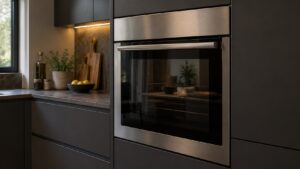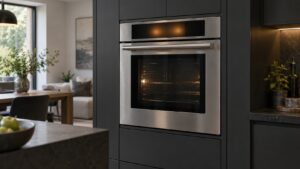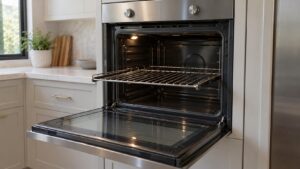
What Light Not Working means on your Dacor oven (dacor oven light not working)
An oven showing this is showing a symptom, not a code, since Dacor publishes no code that covers it. — neither the Legacy Dacor (pre-2016) Classic ERC nor the Samsung-era Modernist code tables assign a code to a dark interior light, because the light circuit sits outside the systems those codes monitor. In most cases the cause is exactly what it looks like: the bulb itself has burned out after years of heat exposure, which shortens bulb life far more than a typical household fixture. Less often the socket, the door-activated switch, or the wiring to the light has failed, especially on ovens where the light is expected to switch on automatically when the door opens.
Symptoms
The list below is how Light Not Working announces itself on a Dacor oven, and how it differs from the oven problems people confuse it with.
- The oven interior stays dark whether the door is open or closed.
- The light flickers briefly before going out entirely, rather than failing all at once.
- The light works with the door open but not when a switch or button is used to trigger it separately.
- A faint buzzing or clicking may be heard from the socket area if the switch itself is failing.
- The bulb glass may look visibly darkened or discolored compared to a new one.
Common causes
More than one thing can produce Light Not Working on an oven, so the causes below are ordered by how often they turn out to be responsible on a Dacor oven.
- Burned-out bulb — the most common cause by far, especially on ovens used frequently for high-heat cooking or self-clean.
- Failed light socket — heat exposure over years can degrade the socket contacts even with a good bulb installed.
- Faulty door-activated switch — the mechanism that senses the door position and should trigger the light has stopped working.
- Loose or damaged wiring — a connection to the light circuit has corroded or come loose.
- Incorrect replacement bulb — a bulb not rated for oven-interior heat can fail again quickly even after a fresh swap.
Troubleshooting steps you can try
The steps below are the safe ones for a Dacor oven, so stop as soon as mains power, a gas supply, a hot surface or a sealed circuit in the oven enters the picture.
- Confirm the oven is off and fully cool before attempting anything near the light fixture.
- Check the bulb for visible darkening, and replace it with a bulb specifically rated for oven-interior use and correct wattage.
- Make sure the new bulb is seated fully and turned to lock into the socket, not just resting in place.
- Test whether the light responds correctly to the door opening and closing after the bulb swap.
- If a fresh, correctly rated bulb still does not light, the socket or switch is the more likely next suspect.
Parts a technician may replace
The parts most often in question on an oven here are the oven interior light bulb, light socket, light switch or door-activated sensor, and wiring. Which one has actually failed on your Dacor oven is settled by measurement, and nothing is ordered for the oven before that.
When to call a technician
A bulb replacement is a simple owner task, but if a new bulb does not fix it, the socket or door-switch wiring needs a technician to test safely. At Low severity the oven is not in danger, though a Light Not Working that keeps coming back on an oven is telling you something. We answer to you and not to Dacor, we fit genuine parts to your oven, and we warrant that labor for 30 days.
Related help and Dacor resources
If the Light Not Working condition keeps coming back on your oven after these checks, book Dacor oven repair, read the rest of our oven problem pages, or schedule a visit. Manufacturer specifications for your oven are at www.dacor.com.