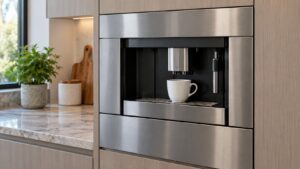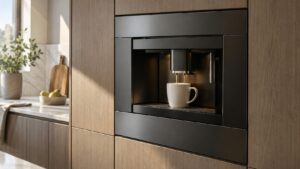
What Xxxxxx Group Error means on your Dacor coffee machine (dacor coffee machine group error)
Dacor coffee machine group error is the manual’s generic-operation-problem message, named with a subsystem placeholder in place of a fixed word, meaning the machine substitutes the actual affected subsystem’s name into the message when it appears on the display. Whichever specific subsystem is named, the underlying meaning is the same: the main control board has detected an operation problem in that part of the brewing mechanism and disabled the buttons rather than continue brewing with an unconfirmed subsystem. Because this platform is discontinued, a group error is worth taking seriously early, since parts availability for the brewing group mechanism is finite going forward.
Symptoms
What follows helps you confirm that your Dacor coffee machine has this specific problem rather than one that merely resembles it on a coffee machine.
- The display shows a subsystem name followed by “Group Error,” and all buttons are disabled.
- A brewing attempt may stop partway through rather than failing to start at all.
- A grinding, straining, or unusual mechanical sound can accompany the problem if the brewing group motor is struggling.
- The error can follow a jammed brewing cycle, such as one interrupted by opening the panel mid-brew.
- The message can recur immediately on any attempt to brew until the underlying issue is cleared.
Common causes
There is more than one road to Xxxxxx Group Error on a Dacor coffee machine, and the list below walks them in the order a technician would on your coffee machine.
- Brewing group motor failure — the motor driving the compression and ejection cycle is not completing its expected movement.
- Group position sensor failure — the sensor confirming the brewing group’s position is not reporting correctly.
- Jammed grounds or debris in the brewing group — a clog can physically prevent the mechanism from completing its cycle.
- Main control board failure — less commonly, the board itself is misreading a healthy brewing group.
- Interrupted cycle — a brew cycle stopped mid-motion, such as by opening the front panel, can leave the group in an unrecognized position.
Troubleshooting steps you can try
Take these in order on your coffee machine, and anything past the point where you are unsure about the coffee machine belongs with a technician rather than a screwdriver.
- Power the machine off completely and back on to see whether the error clears on a fresh restart.
- Avoid opening the front panel or interrupting a brewing cycle once it has started.
- Check the used-grounds drawer and brewing group area for any visible clog or jammed grounds, if safely accessible.
- Run the built-in group-cleaning cycle if the machine allows it in this state, since built-up residue can contribute to jamming.
- Avoid repeated brewing attempts while the error persists, since it will not clear without the underlying mechanical issue resolved.
Parts a technician may replace
On a coffee machine in this condition the likely candidates are the brewing group motor, group position sensor, and main control board. Each is tested on the coffee machine before it is replaced, and the part is matched to your coffee machine from its model and serial number.
When to call a technician
A group error is rated High severity here, and given the platform’s discontinued status and finite parts supply, book a technician promptly rather than continuing to force brewing attempts. This is High severity, so the coffee machine should come out of service until a technician has seen it rather than being run again. Independent service on a Dacor coffee machine means genuine OEM or trusted-supplier parts and a 30-day warranty on our workmanship.
Related help and Dacor resources
If the checks above did not clear the Xxxxxx Group Error condition, book a technician for the coffee machine. Our coffee machine problem index covers the neighboring problems, and www.dacor.com carries the coffee machine spec.