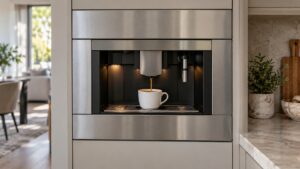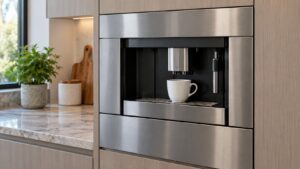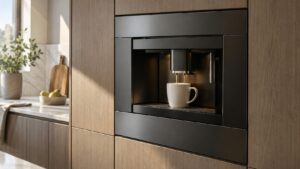
What Too Much Coffee means on your Dacor coffee machine (dacor coffee machine too much coffee)
Dacor coffee machine too much coffee is one of the lowest-severity messages on the CM24 platform, meaning either too much ground coffee has reached the brewing chute for the current cup size, or the grinder’s grind-time setting is configured longer than the brewing group can accommodate. This is a settings and calibration message rather than a hardware failure in most cases, and it is one an owner can often resolve without any parts or service visit at all by adjusting the grind-time setting through the machine’s own menu.
Symptoms
The point of the list below is to stop you replacing the wrong part of a coffee machine, because Too Much Coffee imitates other Dacor coffee machine problems closely.
- The display shows “Too Much Coffee” before or during a brewing attempt.
- The brewing chute may appear visibly overfilled with grounds compared to a normal cup.
- The message can appear consistently for one specific cup-size or strength setting while others brew normally.
- Excess grounds may spill or compact around the brewing group when the chute is opened.
- The message can follow a recent change to the grind-time or coffee-strength setting.
Common causes
What produces Too Much Coffee on a Dacor coffee machine is not always the component people assume, which is why the coffee machine causes below run from most to least likely.
- Grind-time setting too long for the selected cup size — a stronger or larger setting can grind more coffee than the brewing chute is designed to hold for that cycle.
- Recent settings change — an adjustment to grind time or strength that has not been matched to cup size.
- Grinder dispensing inconsistently — a grinder issue can occasionally over-dispense grounds regardless of the setting.
- Chute or brewing group partially blocked — residual grounds from a previous cycle can reduce the chute’s effective capacity.
Troubleshooting steps you can try
Nothing below requires opening the coffee machine up, and every step rules something out about Too Much Coffee before a technician touches your Dacor coffee machine.
- Check the grind-time or coffee-strength setting in the machine’s menu and reduce it if it is set unusually high.
- Clear any residual grounds from the brewing chute and group before attempting another brew.
- Try a smaller cup size or a shorter grind-time setting to see if the message clears.
- Confirm the setting change is saved and applied before the next brewing attempt.
- Note whether the message is tied to one specific cup-size setting or occurs across all of them.
Parts a technician may replace
Expect the grinder assembly, grind-time setting, brewing chute, and bean hopper to be checked on your Dacor coffee machine. Replacing more of a coffee machine than the problem requires is how a small coffee machine repair becomes an expensive one, so the failed part is confirmed first.
When to call a technician
If adjusting the grind-time setting and clearing the chute do not resolve the message, the grinder assembly itself may need technician inspection. There is no urgency at Low severity, yet a coffee machine that repeats Too Much Coffee after these checks deserves a technician’s eyes. We hold no affiliation with the manufacturer of your coffee machine; the parts are genuine and the labor is warranted for 30 days.
Related help and Dacor resources
If the Too Much Coffee condition keeps coming back on your coffee machine after these checks, book Dacor coffee machine repair, read the rest of our coffee machine problem pages, or schedule a visit. Manufacturer specifications for your coffee machine are at www.dacor.com.