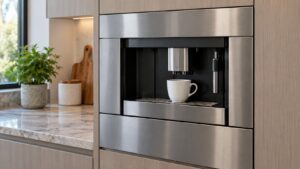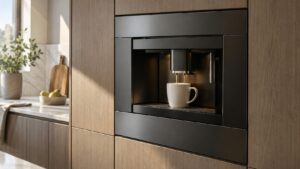
What Weak Watery Coffee means on your Dacor coffee machine (dacor coffee machine weak coffee)
Coffee that tastes thin, pale, or watery is a quality complaint rather than a problem the CM24 display flags on its own — this symptom page exists because Dacor has no code for it, only settings and mechanical conditions that affect extraction strength. Most cases trace back to the grind-time and coffee-strength settings sitting lower than the owner actually wants, since the machine has no way to know a cup “should” taste stronger than it is configured to brew. A smaller number of cases point to a mechanical cause, such as a grinder that is dispensing less coffee than the setting calls for, or a brewing group that is not building enough pressure during extraction.
Symptoms
Symptoms are how a coffee machine narrows the field, and the ones below are specific enough to separate Weak Watery Coffee from its neighbors on a Dacor coffee machine.
- Coffee looks pale or thin in color rather than the expected dark brown.
- The cup finishes brewing faster than it used to for the same size setting.
- The coffee tastes sour or flat rather than rich, even with fresh beans.
- Crema on espresso-style drinks is thin or absent where it was previously present.
- The problem is consistent across multiple cup sizes rather than isolated to one setting.
Common causes
A Dacor coffee machine can reach this condition by more than one route, and the cheap causes are worth eliminating on the coffee machine before the expensive ones.
- Grind-time or strength setting too low — the simplest and most common cause, especially after a settings change or a reset.
- Stale or old coffee beans — beans that have lost their oils and aroma brew noticeably weaker regardless of settings.
- Grinder dispensing less coffee than expected — a partially worn or clogged grinder can under-deliver grounds per cycle.
- Scale buildup restricting water flow through the brewing group — reduced flow rate changes extraction time and strength.
- Incorrect grind consistency — grounds that are too coarse for this machine’s brewing group extract faster and weaker.
Troubleshooting steps you can try
Start at the top and work down your coffee machine: the checks get progressively less likely, and the point at which they stop being safe for a coffee machine is marked.
- Check the grind-time and coffee-strength settings in the machine’s menu and increase them incrementally.
- Replace the beans with a fresh bag and confirm whether strength improves.
- Run the group-cleaning cycle described in the Use and Care Manual to clear any residue affecting flow.
- Check when the machine was last descaled, since mineral buildup slows and weakens extraction over time.
- Compare the same cup size and setting brewed twice in a row to rule out a one-off inconsistency.
Parts a technician may replace
Diagnosis on your Dacor coffee machine usually points at the grind-time setting, brewing group, coffee bean hopper, and flow meter. Nothing is ordered for the coffee machine until the failing part is confirmed on the coffee machine itself.
When to call a technician
If settings, fresh beans, and a completed group-cleaning cycle do not restore normal strength, the grinder or brewing group needs a hands-on technician inspection. There is no urgency at Low severity, yet a coffee machine that repeats Weak Watery Coffee after these checks deserves a technician’s eyes. No manufacturer affiliation, genuine parts in your coffee machine, and 30 days of cover on the work itself.
Related help and Dacor resources
Once the Weak Watery Coffee condition has outlasted the owner-level checks, the coffee machine is a service call: book one, or read the other coffee machine problem pages. www.dacor.com holds the coffee machine data sheet.