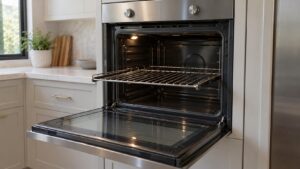
What F0 means on your Dacor oven (dacor oven f0)
Dacor oven f0 is a Legacy Dacor (pre-2016) code, read out on the Classic ERC (electronic range control) board fitted to Dacor’s ECS/ECD, PCS/PCD and MCS/MCD wall ovens. The ERC continuously scans the touch pad for pressed keys, and F0 means the scan found an input line shorted or stuck closed rather than momentarily pressed. Dacor’s own Tec-Line troubleshooting document names the two likely origins directly: a shorted wire between the keypad and the ERC, or a membrane switch inside the touch pad that has failed closed. This is a control-input problem, not a heating problem, so the oven itself may still be able to heat if a cycle is already running when F0 appears.
Symptoms
These are the symptoms that distinguish F0 on a Dacor oven from the look-alike problems that would need an entirely different oven repair.
- The display shows F0 and refuses further key presses.
- One or more buttons feel like they are permanently pressed even when your finger is off the pad.
- The oven beeps repeatedly on its own without anyone touching the control panel.
- A cook or bake cycle that was already running may continue for a while before the ERC shuts it down.
- The problem can appear right after a spill runs behind the touch pad or after a cleaning product gets under the film.
Common causes
There is more than one road to F0 on a Dacor oven, and the list below walks them in the order a technician would on your oven.
- Shorted keypad wiring — a pinched or corroded wire between the touch pad and the ERC holds an input line low permanently.
- Failed membrane switch — one key location inside the touch pad film has degraded and now reads as continuously pressed.
- Liquid intrusion — a spill or cleaning spray has seeped behind the touch pad and is bridging contacts.
- Loose or corroded ribbon connector — the connector between the touch pad and the ERC has partially backed out or oxidized.
- ERC input-scanning problem — less commonly, the board itself is misreading a healthy keypad.
Troubleshooting steps you can try
Start at the top and work down your oven: the checks get progressively less likely, and the point at which they stop being safe for an oven is marked.
- Turn off power to the oven at the breaker for one full minute, then restore power and see if F0 clears on its own.
- Wipe the touch pad and the seam around it dry, and check for any visible spill residue or cleaning product buildup.
- Press each button lightly once and note whether any single key feels different (spongy, stuck, or unresponsive) from the rest.
- Avoid pressing keys repeatedly while F0 is displayed, since that can extend the ERC lockout timer.
- If the problem clears after the power cycle but returns within a day or two, treat it as a wiring or membrane failure rather than a one-off glitch.
Parts a technician may replace
A technician will work through the touch pad keypad membrane, membrane switch ribbon connector, and electronic range control board on your oven. Genuine OEM or trusted-supplier parts are matched to the oven by model and serial number rather than fitted to an oven on spec.
When to call a technician
If F0 returns after a clean power cycle, the touch pad or its wiring needs to be tested with the panel open, which is technician work. There is no urgency at Medium severity, yet an oven that repeats F0 after these checks deserves a technician’s eyes. We answer to you and not to Dacor, we fit genuine parts to your oven, and we warrant that labor for 30 days.
Related help and Dacor resources
Where the F0 condition persists on an oven, stop retrying and arrange service. See also our oven repair guides, our service areas, and www.dacor.com for the oven specification.