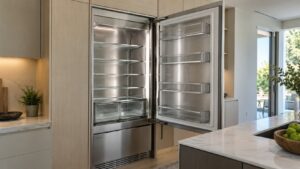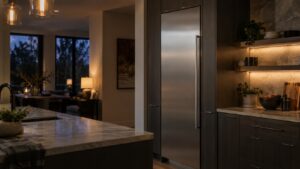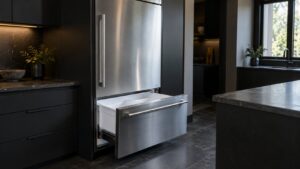

Dacor RemoteView puts cameras inside a refrigerator column and streams the view to a phone. It is a genuinely useful convenience and a frequent source of confused service calls, because people reasonably assume that a camera inside a refrigerator can tell them something about how the refrigerator is working. It cannot. The camera reports contents, not condition, and knowing the boundary saves a visit.
How the camera system is put together
Cameras are mounted inside the cabinet, positioned to see the shelves rather than the walls. They need light, so they work with the interior lighting rather than independently of it — a lighting fault is also an image fault. They connect through the appliance’s own control and network connection, not through a separate device.
That architecture explains most of the behavior people report. The image is not live at all times; the system captures when it makes sense to, typically around door events, so what you see in the app is the most recent view rather than a continuous stream. A door that has not been opened for a day shows yesterday’s view, and that is correct behavior rather than a frozen feed.
What it is genuinely good for
- Shopping. Checking whether you already have something, from the store.
- Households with two kitchens or with a second column elsewhere in the house.
- Seeing whether a door was left ajar, indirectly — the alarm tells you, and the image confirms what is in the way.
- Keeping track of a full column where the back of a deep shelf is hard to see even with the door open.
Where the confusion starts
Three situations come up repeatedly, and in all three the camera is a bystander.
“The camera shows frost, so the camera is broken.” The camera is reporting accurately. Frost inside a column is a defrost, seal or airflow matter and it needs looking at — our page on column refrigerator diagnosis covers the order of checks.
“The camera stopped, so the refrigerator has a fault.” Almost always the network, the app session, or the interior lighting. The cooling system runs entirely independently of the camera and will keep running perfectly with the camera dead.
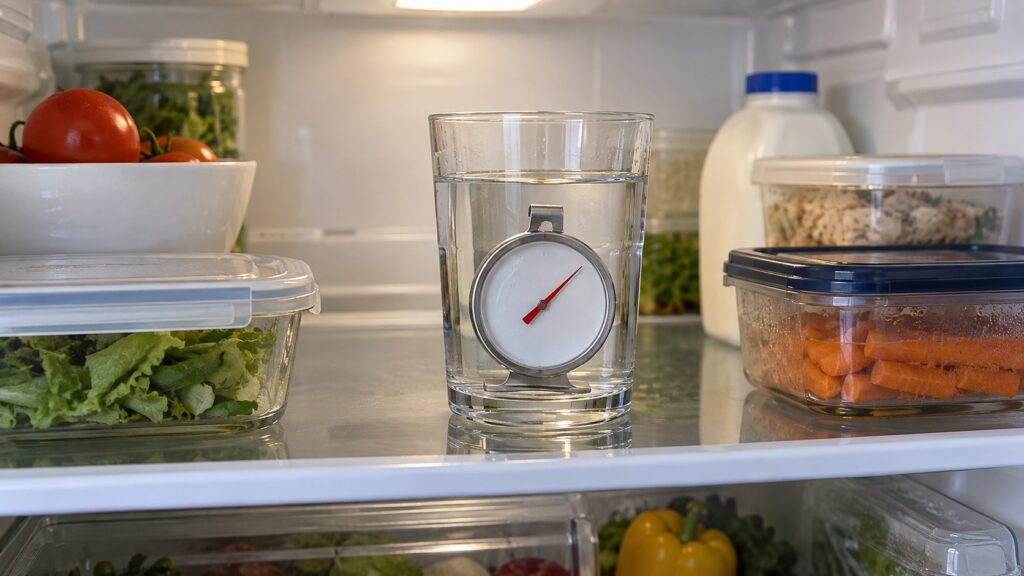
“I can see the food is fine, so the temperature is fine.” This is the dangerous one. Food that looks normal in a photograph can be sitting several degrees warm. Temperature is read from the display or, better, with a thermometer in a glass of water on a middle shelf.
When the image itself is the problem
Before treating this as a fault, check whether any other connected appliance in the house is also offline. A router change, a new network name or a firmware update on the router itself takes out every connected appliance at once, and the one you happen to notice first is rarely the one with the problem. Our guide on connected appliance setup covers re-pairing.
Paired columns, and why the feature lives there
RemoteView appears on paired column installations — a refrigerator column beside a freezer or wine column, built into cabinetry as one composition. That context explains the design. A column is deep, panel-ready and often has no visible handle, so checking its contents means opening a heavy door in a run of cabinetry that looks like furniture. A camera saves that trip in a way it would not on a countertop-height appliance with a glass shelf in plain view.
It also means the feature is tied to a specific installation rather than to a single appliance. If one column of a pair is replaced or serviced, the pairing and the app configuration may need attention afterward even though nothing was wrong with the camera itself. That is worth knowing before a service visit, because it is a five-minute task at the end of the call and a separate appointment if it is discovered a week later.
Privacy, briefly and honestly
A camera inside a kitchen appliance is still a camera in a home, and it is reasonable to want to know what it can see. It faces the shelves inside a closed cabinet: with the door shut there is nothing else in frame, and with the door open the view is largely blocked by the person standing in front of it. Access runs through the app account, which is worth protecting like any other account — a strong password, and removal of any account that should no longer have access when a household changes.
What we check when the call is about RemoteView
We separate the two systems first, because they have almost nothing in common. If the complaint is cooling, we measure temperatures and airflow and treat the camera as irrelevant. If the complaint is the image, we check lighting, the lens area, the appliance’s network connection and the pairing, in that order.
That separation is the whole point of understanding the feature. A household that knows the camera is a convenience and not an instrument calls us for the right reason, and the visit is shorter. Our page on the refrigeration alarms in the app covers the notifications that genuinely do report appliance state.
When to call
Call when the column is not holding temperature, when frost is building, when a door alarm repeats, when the interior lighting has failed, or when the camera has stopped updating and other connected appliances in the house are still online.
We are an independent repair company and not a factory service arm. Pricing starts from a diagnostic visit and we confirm the estimate before any work begins. Dacor refrigerator repair covers compressors, fans, sensors, defrost systems and controls, and you can schedule a visit online.