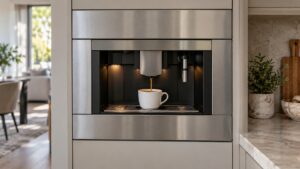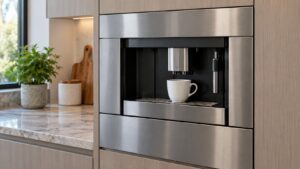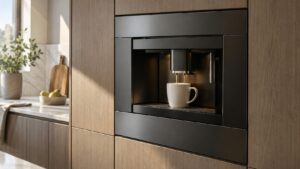
What System Off – Front Panel Open means on your Dacor coffee machine (dacor coffee machine panel open)
Dacor coffee machine panel open is one of the full-sentence display messages this platform uses in place of any code — the front panel door houses the brewing group and the internal service points, and the machine disables all buttons whenever that panel is not confirmed fully closed. This is a safety interlock rather than a problem: a panel left ajar during cleaning, descaling, or a filter change is the most common reason this message appears, and it clears the instant the panel is confirmed shut.
Symptoms
What follows helps you confirm that your Dacor coffee machine has this specific problem rather than one that merely resembles it on a coffee machine.
- The display reads “System Off – Front Panel Open” and no buttons respond.
- The panel may appear closed but not fully latched, especially after recent cleaning.
- The message often follows routine maintenance, such as accessing the brewing group or a filter.
- A firm push on the panel edge can sometimes seat it fully and clear the message immediately.
- The message can recur if the panel latch itself has weakened and no longer holds firmly.
Common causes
Each cause below can produce System Off – Front Panel Open on a coffee machine, and only measurement on the coffee machine itself will tell you which one you actually have.
- Panel not pushed fully closed — the most common cause, especially right after cleaning or maintenance.
- Weak or worn latch — a latch that no longer catches firmly can leave the panel appearing closed while not fully seated.
- Debris around the panel seam — coffee residue or grounds trapped in the seam can prevent full closure.
- Warped panel — heat or age can cause the panel itself to no longer sit flush against the frame.
- Failed panel sensor switch — the switch is not detecting a panel that is genuinely closed.
Troubleshooting steps you can try
Before booking a visit for System Off – Front Panel Open, work through these on your coffee machine — a good share of these coffee machine calls resolve right here.
- Push the front panel firmly closed at multiple points along its edge, not just the center.
- Clean any visible coffee residue or grounds from the panel seam before closing it again.
- Check that nothing internal, such as a hose or component, is obstructing the panel from closing fully.
- Confirm the message clears immediately once the panel is fully seated.
- If the panel will not stay closed on its own, check the latch for visible wear or looseness.
Parts a technician may replace
For this problem, the front panel door, panel latch, and panel sensor switch on your Dacor coffee machine are the components in scope. Which of them has failed on the coffee machine is established on site before any coffee machine part is sourced.
When to call a technician
If the panel is clean, unobstructed, and firmly seated yet the message persists, the panel sensor switch or latch needs technician attention. There is no urgency at Medium severity, yet a coffee machine that repeats System Off – Front Panel Open after these checks deserves a technician’s eyes. Your coffee machine is handled by an independent workshop with genuine OEM or trusted-supplier parts and a 30-day labor warranty.
Related help and Dacor resources
If the checks above did not clear the System Off – Front Panel Open condition, book a technician for the coffee machine. Our coffee machine problem index covers the neighboring problems, and www.dacor.com carries the coffee machine spec.