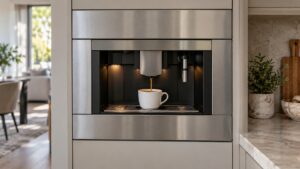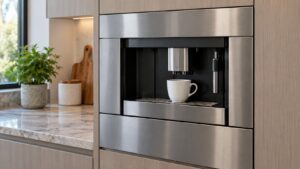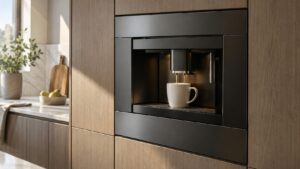
What Not Brewing means on your Dacor coffee machine (dacor coffee machine not brewing)
A Dacor coffee machine not brewing is a symptom description an owner searches for, not a Dacor error code — the CM24P-1/CM24T-1 Automatic Coffee System almost always names a specific reason on its display rather than simply refusing to work with no explanation. If the display is genuinely blank while other messages like drawer or panel status still show, the cause usually sits upstream of brewing itself: water supply, a jammed brewing group, or a stuck button. This platform is discontinued, so before spending money chasing the mechanism it is worth confirming the basics first, since a five-minute check often turns out to be the entire fix.

Symptoms
The list below is how Not Brewing announces itself on a Dacor coffee machine, and how it differs from the coffee machine problems people confuse it with.
- Pressing any brew button produces no response and no sound from the machine.
- The machine powers on and the display is lit, but nothing happens when brewing is selected.
- A brew cycle appears to start, then stops almost immediately with no coffee dispensed.
- The grinder can be heard running, but no water follows and no coffee comes out.
- The problem started suddenly rather than developing gradually over several uses.
Common causes
Any of the following can leave a Dacor coffee machine in this state, and telling them apart on the coffee machine decides whether a part is needed at all.
- An unresolved status message — a drawer-out, panel-open, or water-supply message can silently block brewing until it is cleared.
- Empty or disconnected water source — the CM24T-1 tank empty or the CM24P-1 supply line shut, stopping the cycle before it starts.
- Jammed brewing group — packed or wet grounds can physically prevent the mechanism from cycling.
- Stuck or unresponsive control panel button — a button that does not register a press will never start a brew cycle.
- Internal problem on the main control board — less common, but a board that is not sending the brew command reads identically to a jammed group from the outside.
Troubleshooting steps you can try
An owner can safely attempt everything below on a coffee machine, and everything beyond it on a Dacor coffee machine is a technician’s job, with no shame in stopping early.
- Check the display carefully for any status message before assuming brewing has failed with no explanation.
- Confirm the water reservoir is full, or that the plumbed supply valve is open, depending on which CM24 variant is installed.
- Open the front panel and inspect the brewing group area for visibly packed or wet grounds.
- Try each control panel button individually to see whether any of them responds at all.
- Power the unit off at its main switch, wait a full minute, and restart it before trying to brew again.
Parts a technician may replace
The brewing group, water supply, flow meter, and main control board are what a technician examines on a coffee machine showing this problem. Genuine parts are fitted to the coffee machine, matched to your exact coffee machine rather than to the family it belongs to.
When to call a technician
If the display shows no message at all and the buttons genuinely do not respond after a full power cycle, the control board needs technician diagnosis, and parts availability should be confirmed early given the platform is discontinued. This rates Medium on a coffee machine, so take your time — but do not keep clearing Not Brewing on the coffee machine without finding out why. No manufacturer affiliation, genuine parts in your coffee machine, and 30 days of cover on the work itself.
Related help and Dacor resources
If the Not Brewing condition keeps coming back on your coffee machine after these checks, book Dacor coffee machine repair, read the rest of our coffee machine problem pages, or schedule a visit. Manufacturer specifications for your coffee machine are at www.dacor.com.