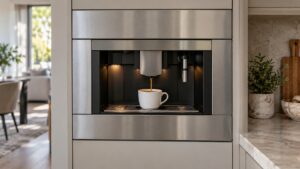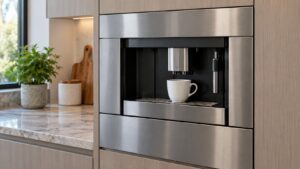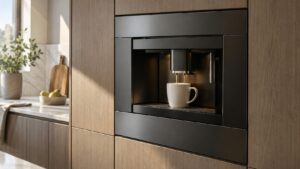
What Wont Power On means on your Dacor coffee machine (dacor coffee machine wont power on)
A completely dark display that does not respond to the power switch at all is different from every other symptom on this platform, since every documented message assumes the display is already lit — a unit that will not power on at all is showing nothing because it has no power reaching it, or has failed before it can display anything. This is worth separating clearly from the “System Off” panel-interlock message, which is a lit display describing a specific condition, versus true dead-unit silence with no light or sound whatsoever. Confirming the household electrical supply first is the fastest way to rule out the simplest explanation before assuming the machine itself has failed.

Symptoms
Compare what your Dacor coffee machine is actually doing against the list below, since more than one coffee machine problem can look like Wont Power On at first.
- The display stays completely dark and no lights or sounds occur when the power switch is used.
- Pressing the power switch produces no click, hum, or any indication the switch is engaging at all.
- The unit was working normally, then went dark suddenly with no warning message beforehand.
- A tripped breaker or blown fuse is discovered when checking the household circuit.
- A faint burning smell accompanies the unit going dark, suggesting an electrical problem rather than a simple power loss.
Common causes
The list below covers what actually causes Wont Power On on a coffee machine, in the order a technician would eliminate them on a Dacor coffee machine.
- Tripped household circuit breaker or blown fuse — the simplest and most common explanation for total silence.
- Loose or disconnected power cable — a connection working itself loose behind the built-in unit can cut power entirely.
- Failed power supply board — the board converting incoming power for the machine’s internal electronics may have failed.
- Failed main control board — power may be reaching the unit while the board itself is no longer able to initialize the display.
- Faulty power switch — the physical switch itself may no longer be making contact even when pressed correctly.
Troubleshooting steps you can try
Before booking a visit for Wont Power On, work through these on your coffee machine — a good share of these coffee machine calls resolve right here.
- Check the household breaker or fuse serving the machine’s circuit before assuming the unit itself has failed.
- Confirm the power cable connection behind the built-in unit is fully seated, if it is safely accessible.
- Press the power switch firmly several times, listening for any click or hum indicating it is engaging.
- Note whether any burning smell was present, since that changes this from a simple power issue to an electrical safety concern.
- Leave the unit unplugged or switched off at the breaker if a burning smell was noticed, rather than attempting to power it again.
Parts a technician may replace
The power switch, power supply board, main control board, and electrical connection are what a technician examines on a coffee machine showing this problem. Genuine parts are fitted to the coffee machine, matched to your exact coffee machine rather than to the family it belongs to.
When to call a technician
If the household circuit is confirmed good and the unit still will not power on, a technician needs to test the power supply board, control board, and switch before this discontinued unit is powered again. A High-severity problem on a coffee machine is not one to work around: shut the coffee machine down and book a technician. This is independent service for your coffee machine — genuine OEM or trusted-supplier parts, and a 30-day warranty on the labor.
Related help and Dacor resources
If the checks above did not clear the Wont Power On condition, book a technician for the coffee machine. Our coffee machine problem index covers the neighboring problems, and www.dacor.com carries the coffee machine spec.