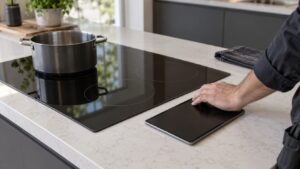
What Child Lock Wont Release means on your Dacor cooktop (dacor cooktop child lock stuck)
This page covers a symptom of a cooktop rather than an error code, because no such Dacor code exists. — the child safety lock feature is a normal function, not an error condition, so a cooktop stuck in a locked state does not appear anywhere in the Information codes table. Most cases trace back to the release sequence being performed too quickly, too slowly, or on the wrong touch zone, since these sequences typically require a sustained press on a specific icon rather than a quick tap. Less often, moisture or residue on the glass near the lock icon can make the panel misread the release attempt entirely.
Symptoms
Symptoms are how a cooktop narrows the field, and the ones below are specific enough to separate Child Lock Wont Release from its neighbors on a Dacor cooktop.
- A lock icon remains lit on the display and all other touch zones ignore input.
- The panel briefly appears to respond to the release sequence, then re-locks a moment later.
- The lock engaged unexpectedly without anyone intentionally activating it, often from a spill or a child pressing the panel.
- The release sequence works inconsistently, succeeding on some attempts and failing on others.
- The lock icon itself appears dim or partially obscured by residue on the glass.
Common causes
Diagnosis on a Dacor cooktop means ruling causes out rather than guessing, and these are the ones that matter for Child Lock Wont Release on a cooktop.
- Release sequence performed incorrectly — most lock functions require holding a specific icon for several seconds rather than a quick tap.
- Residue over the lock icon — grease or cleaning product film on the glass can prevent the touch sensor from registering the release press accurately.
- Wet fingers or a wet cloth pressing the icon — moisture during the release attempt can register as multiple conflicting touches.
- A failed touch zone at the lock icon’s location — the underlying sensor for that specific spot has degraded.
- Main PCB problem reading the lock state — less commonly, the board itself is stuck reporting the locked condition.
Troubleshooting steps you can try
Try these first on the cooktop: they are ordered so the safest and likeliest fix for a Dacor cooktop comes before anything needing tools or training.
- Check the user manual for the exact release sequence and hold-time for the lock icon on this specific model.
- Clean the glass thoroughly around the lock icon and dry it completely before attempting the release again.
- Use a dry finger rather than a damp cloth when performing the release sequence.
- Power-cycle the cooktop at the breaker and attempt the release sequence again once it restarts.
- Note whether the release ever briefly succeeds before re-locking, which helps distinguish a sequence issue from a sensor failure.
Parts a technician may replace
On a cooktop in this condition the likely candidates are the touch control panel, lock indicator icon, and main pcb. Each is tested on the cooktop before it is replaced, and the part is matched to your cooktop from its model and serial number.
When to call a technician
If the correct release sequence, performed on a clean dry panel, still will not unlock the cooktop, the touch zone at the lock icon likely needs testing by a technician. This rates Low on a cooktop, so take your time — but do not keep clearing Child Lock Wont Release on the cooktop without finding out why. No manufacturer affiliation, genuine parts in your cooktop, and 30 days of cover on the work itself.
Related help and Dacor resources
When the Child Lock Wont Release condition survives everything above, the cooktop needs a technician: book cooktop repair, or browse our repair guides first. The original cooktop specification lives at www.dacor.com.