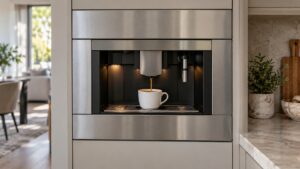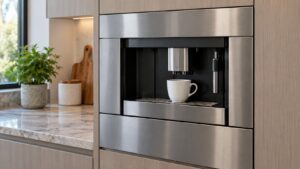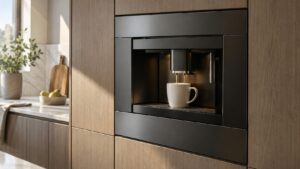
What Clean Group means on your Dacor coffee machine (dacor coffee machine clean group)
Dacor coffee machine clean group is a scheduled maintenance reminder rather than a problem, triggered automatically every 50 brewing cycles regardless of how the coffee itself has been tasting. The brewing group is the internal mechanism that compresses and extracts through ground coffee, and residual oils build up in it steadily with regular use whether or not any individual cup shows a problem. Because this platform is discontinued with finite parts availability, keeping the brewing group clean on schedule is one of the most effective ways to extend the working life of the mechanical parts an owner may eventually struggle to replace.

Symptoms
Before assuming Clean Group is the problem, check the behavior of your Dacor coffee machine against the symptoms below, because several unrelated coffee machine problems overlap here.
- The display shows “Clean Group” after roughly 50 completed brewing cycles.
- Coffee may start tasting slightly bitter or stale in the cycles leading up to the reminder.
- The machine continues to brew normally while the message is displayed, rather than disabling buttons.
- The message reappears on the same 50-cycle schedule if a cleaning cycle is skipped.
- Visible coffee oil residue may be noticeable around the brewing group during routine cleaning.
Common causes
The causes below are ranked by how frequently each is responsible on a Dacor coffee machine, which is also the order worth checking them in on your coffee machine.
- Scheduled maintenance reminder — the machine counts brewing cycles and prompts this message on a fixed 50-cycle interval.
- Coffee oil buildup in the brewing group — the reminder exists specifically to prevent this residue from affecting taste and mechanism smoothness.
- Reminder ignored on previous cycles — the message can persist if the cleaning routine was skipped rather than completed.
Troubleshooting steps you can try
The safe checks on a Dacor coffee machine are below, in order; the moment a step involves the coffee machine’s power, gas or sealed system, hand it over.
- Run the built-in group-cleaning cycle using the cleaning tablet specified in the Use and Care Manual.
- Wipe down the exterior of the brewing group area during the same maintenance session.
- Do not delay running the cleaning cycle repeatedly, since built-up residue becomes harder to clear the longer it accumulates.
- Use only the coffee and cleaning products specified for this machine to avoid additional residue buildup.
- Treat this message as routine upkeep rather than a sign of a mechanical problem.
Parts a technician may replace
For this problem, the brewing group, group cleaning tablet slot, and internal brew chamber on your Dacor coffee machine are the components in scope. Which of them has failed on the coffee machine is established on site before any coffee machine part is sourced.
When to call a technician
This message never requires a service call on its own — running the group-cleaning cycle promptly with the correct tablet is the only action needed. At Info severity the coffee machine is not in danger, though a Clean Group that keeps coming back on a coffee machine is telling you something. The technicians who will see your coffee machine are ours, not Dacor’s, and their labor is covered for 30 days.
Related help and Dacor resources
When the Clean Group condition survives everything above, the coffee machine needs a technician: book coffee machine repair, or browse our repair guides first. The original coffee machine specification lives at www.dacor.com.